
Artificial intelligence is increasingly useful for everyday professional output: writing, summarizing, organizing information, and turning messy notes into clear next steps. The value isn’t in “knowing AI” as a concept—it’s in applying it to repeatable work so you can move faster with fewer revisions and more consistent quality. With the right guardrails, AI becomes a dependable assistant for drafting and decision support, while you remain the accountable owner of the final result.
For teams that want a trusted baseline for responsible use, two widely referenced frameworks are the NIST AI Risk Management Framework (AI RMF 1.0) and the OECD AI Principles. Both emphasize transparency, reliability, and risk-aware deployment—useful lenses even for day-to-day workplace automation.
“Using AI” is best understood as using a set of tools and capabilities—not relying on one magic app. In practice, AI is most helpful for drafting, summarizing, classifying, planning, and pattern-finding across the kinds of content professionals create every day.
Think of AI as a workflow accelerator: it gets you to a solid draft or a structured starting point faster, then you apply expertise to verify, adjust, and finalize.
The fastest wins usually come from tasks that are frequent, text-heavy, or template-driven. Spend 30 minutes listing recurring work and noting (1) how often it happens and (2) how long it takes. Then highlight tasks that are easy to measure and low risk to improve first.
| Task | Frequency | Time per run | Risk level | AI fit | First workflow to try |
|---|---|---|---|---|---|
| Weekly status update | Weekly | 45 min | Low | High | Draft outline + bullet points, then refine tone and facts |
| Meeting notes to action items | Daily | 20 min | Medium | High | Summarize notes, extract owners/dates, generate follow-up email |
| Customer support reply (common issue) | Daily | 10 min | Medium | High | Create approved template; personalize with key details and troubleshooting steps |
| Spreadsheet cleanup and categorization | Weekly | 60 min | Medium | Medium | Suggest categories/rules; validate samples before applying broadly |
Output quality improves dramatically when you treat AI like a collaborator that needs clear constraints. The goal is not longer instructions—it’s better specificity.
Over time, your best “assets” become repeatable instruction sets that consistently produce drafts your team can trust and refine quickly.
A one-time draft is helpful. A repeatable workflow is transformative. The compounding effect comes from standard inputs, consistent review steps, and a place to store what works.
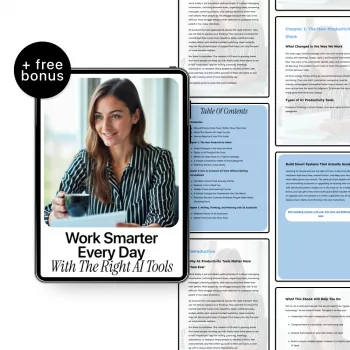
For professionals who want practical, job-aligned AI skills (instead of theory-heavy material), A Practical Guide to Boosting Your Work with Artificial Intelligence (ebook) is designed to translate directly into day-to-day outcomes: cleaner drafts, faster turnaround, and more repeatable processes.
| Item | Details |
|---|---|
| Title | A Practical Guide to Boosting Your Work with Artificial Intelligence | Ebook for Professionals | how to learn ai for your current job |
| Format | Ebook |
| Price | 15.99 USD |
| Availability | In stock |
No—AI accelerates drafting and first-pass analysis, but job-specific expertise is what sets constraints, detects errors, and ensures the output fits real business context. The professional remains responsible for decisions and final deliverables.
Start with low-risk, high-repeat tasks like summarizing meetings, drafting outlines, rewriting for clarity, creating checklists, and formatting updates. Always review for accuracy, tone, and policy alignment before sharing.
Use a simple data classification approach, redact sensitive fields, and provide summaries instead of raw customer or proprietary data. Follow organizational policy and verify tool settings so confidential information stays protected.












Leave a comment