Building a Virtual Fashion Portfolio with AI: A Digital Checklist for Creators
A virtual fashion portfolio is more than a gallery of images—it’s a clear, scannable story of aesthetic, process, and professional readiness. AI tools can accelerate ideation, visualization, and presentation, but the strongest portfolios still rely on consistent direction, thoughtful editing, and credible documentation. Use the checklist structure below to plan, produce, and publish a portfolio that looks cohesive, reads professionally, and is easy for clients, collaborators, and recruiters to review.
Define the portfolio’s purpose and audience
Start by picking one primary outcome and building the portfolio around it. A portfolio meant to land freelance work should read like a service menu with proof of delivery, while a recruiter-focused deck should emphasize process, constraints, and iteration.
- Choose one main goal: freelance clients, internships, brand collaborations, or personal brand building.
- Select a consistent niche lens (streetwear, couture-inspired, 3D fashion, sustainable materials, editorial styling, or digital-only garments).
- Decide the viewing context: mobile-first website, PDF deck, Behance/ArtStation, or social-first carousel.
- Create a “creative direction” card: 3 keywords, 3 reference categories (silhouette, texture, palette), and a one-sentence world statement.
- Set success criteria per project page: what someone should understand in 30 seconds (role, concept, outcome, tools).
Portfolio goals and what to include
| Goal |
Best format |
What to show |
What to minimize |
| Freelance clients |
Website + 1-page PDF |
Before/after, deliverables, turnaround, usage rights |
Long moodboard dumps without outcomes |
| Recruiters |
PDF deck + case studies |
Process, iterations, constraints, tools, final renders |
Too many similar looks |
| Brand collaborations |
Social carousel + landing page |
Campaign-ready visuals, consistency, audience fit |
Unclear ownership of assets |
| Academic applications |
PDF portfolio |
Concept research, development steps, critiques and refinements |
Unlabeled AI visuals |
Build a cohesive visual system before generating assets
AI can produce volume fast—so the “system” is what prevents a portfolio from feeling like a mixed folder of unrelated aesthetics. Lock a few repeatable rules first, then generate within those boundaries.
- Lock a palette range (3–6 core colors plus neutrals) and a typography pair.
- Define recurring silhouette rules: proportions, hem lengths, sleeves, and neckline families.
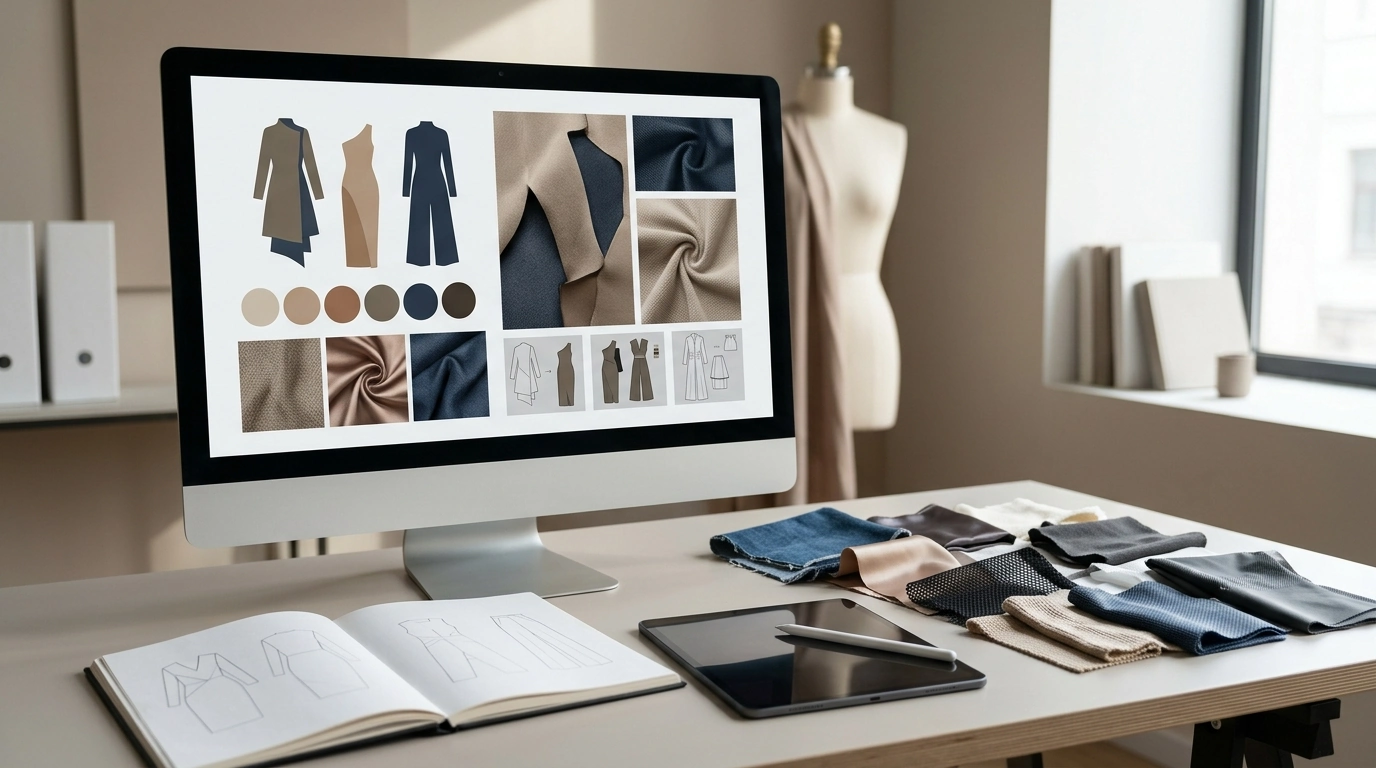
- Create a “materials library” list of 10–15 fabrics/textures to reuse (denim, satin, leather, mesh, knits, technical fabrics).
- Set render standards: camera angle, lighting mood, background style, and a model pose vocabulary.
- Establish naming conventions (Season_Project_Look##_v#) so iterations stay trackable.
- Plan accessibility: readable type sizes, contrast, and alt text for web publishing, aligned with WCAG guidance.
Use AI for ideation, refinement, and visualization—without losing authorship
The most credible AI-assisted portfolios feel directed, not random. Treat AI like a rapid sketch partner, then document the decisions that only a designer can make: proportion, construction logic, intent, and editing.
- Start with a reference board and written constraints; generate multiple directions quickly, then curate hard.
- Iterate with small changes: silhouette swaps, material changes, trim adjustments, print placement, and construction detail upgrades.
- Translate the chosen direction into production-ready artifacts: flats, tech sketches, line sheets, and colorways.
- Include a process trail: initial concept → iterations → rationale for final selection.
- Document tool usage transparently: what was AI-assisted (concept thumbnails, pattern graphics, render enhancement) vs. manual.
- Avoid recognizable brand logos or protected prints in generated outputs; prioritize original motifs or licensed assets. For ownership basics, reference the U.S. Copyright Office.
For broader industry context on what brands and studios value right now—especially around digital workflows and presentation—keep an eye on The Business of Fashion (BoF).
Create portfolio-ready project pages (case study format)
Case studies turn visuals into proof. Each project should read like a mini brief: what you set out to make, what changed, and what the final output is good for.
- Open with a clean header: project title, role, timeline, tools, and deliverables.
- Add a one-paragraph concept statement: inspiration, target customer, and the problem being solved (performance, sustainability, fit, mood).
- Show the core set: hero render, 3–6 look variations, one close-up details panel, and 1–2 construction callouts.
- Include technical credibility: flats, seam/closure notes, material callouts, and a size/fit intent statement.
- Add “decision points”: what changed during iteration and why (color, fabric, silhouette).
- Close with outcomes: final boards, mockups, campaign frames, or a short usage scenario (editorial, e-commerce, AR try-on).
Digital checklist for building and publishing
A checklist keeps the work consistent across projects, especially when switching between AI tools, 3D software, and layout exports.
Common portfolio mistakes and quick fixes
A ready-to-use checklist bundle
If you want a plug-and-play structure, see Building a Virtual Fashion Portfolio with AI – Digital Checklist for Creators | AI to Create a Virtual Fashion Portfolio Guide. For creators styling portfolio scenes, backgrounds, or lifestyle frames, Smart Styling System for Warm Tablescape Ideas – 5-in-1 Digital Bundle can also help standardize a “set language” that keeps visuals cohesive.
FAQ
How many projects should a virtual fashion portfolio include?
Aim for 3–6 strong case studies. Prioritize variety in silhouette, materials, and use-case (editorial vs. product vs. experimental) while keeping one clear aesthetic throughline.
Should AI-generated visuals be labeled in a fashion portfolio?
Yes—clear disclosure builds credibility. Briefly distinguish AI-assisted steps (like concept thumbnails or render enhancement) from the final design decisions and construction logic you owned.
What assets make a virtual fashion project feel professional?
Include a hero render, a small set of variations, detail close-ups, and flats/tech sketches with material and colorway callouts. Add a short process narrative and end with final deliverables or usage mockups.
Recommended for you








Leave a comment